
Shaping an Efficient and Intuitive Text-to-Video Creation Experience
Helping filmmakers and creators generate and edit videos with ease

VP GENIE
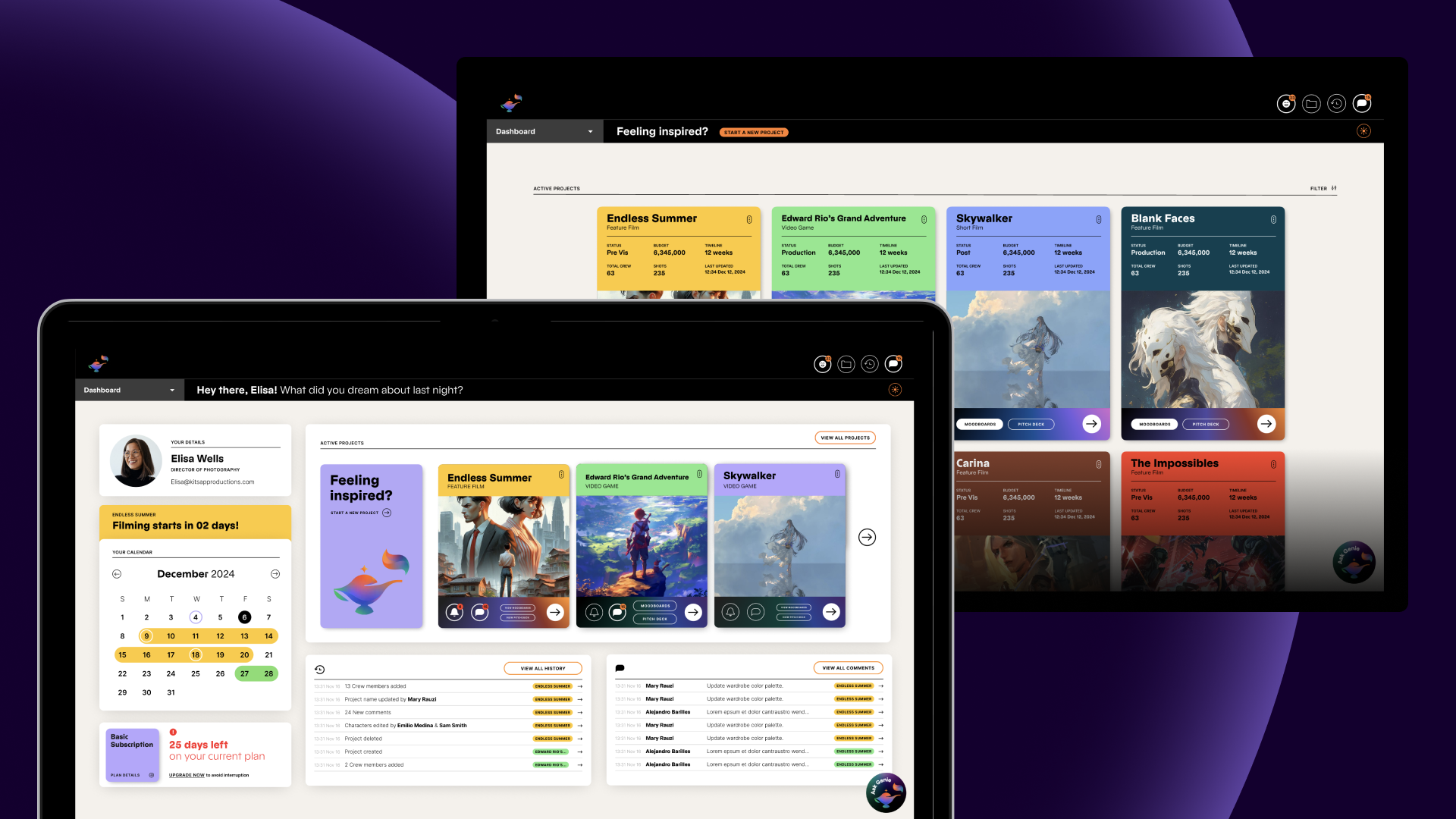
VP Genie is an AI video generation and pre-production tool specifically designed for the film production industry. Currently, its main service targets are professional film studios, production companies, and other B-end users. The product has strong capabilities in script generation, visual asset creation, and pre-production management, and is suitable for the high-intensity production processes of professional teams.
![]()
![]()
![]()
VP Genie is an AI video generation and pre-production tool specifically designed for the film production industry. Currently, its main service targets are professional film studios, production companies, and other B-end users. The product has strong capabilities in script generation, visual asset creation, and pre-production management, and is suitable for the high-intensity production processes of professional teams.
MY ROLE
UX Research
UX Design
TEAM
1 X Supervisor
1 X Lead
4 X UX Researchers& UX Designers
DURATION
2025.1-2025.4
3 months
UX Research
UX Design
TEAM
1 X Supervisor
1 X Lead
4 X UX Researchers& UX Designers
DURATION
2025.1-2025.4
3 months
CURRENT WORKFLOW
Input: “create a play for little red riding hood.”
Output: text script+character visuals+prop visuals+location visuals+storyboard scenes
VP genie could generate whole script and visual set in less than 30 seconds, through editing the details of each scenes and visuals, users can get a well-organized and customized video in the end.
Output: text script+character visuals+prop visuals+location visuals+storyboard scenes
VP genie could generate whole script and visual set in less than 30 seconds, through editing the details of each scenes and visuals, users can get a well-organized and customized video in the end.
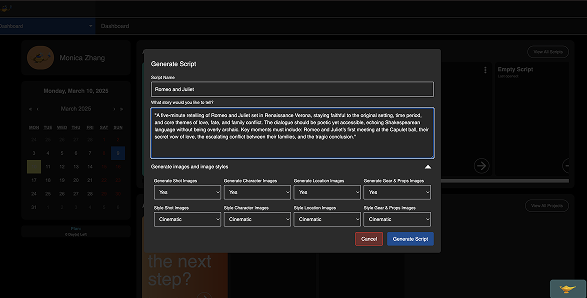
input:s"Create a video of Little Red Riding Hood"
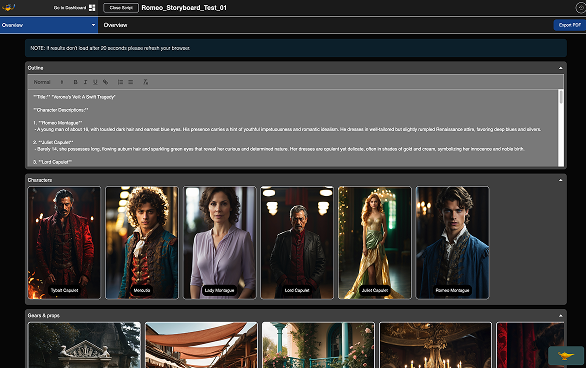
output: Little Red Riding Hood's script, characters...

The current product experience and functional design of VP Genie are highly oriented towards the professional film production process, but still have an entry barrier for the following users: Independent creators; Students (majoring in film / media / new media); Beginners or non-professionals with creative needs. This has restricted the growth of the VP Genie user base and also affected the potential for converting paying users.
PROJET GOALS
Attract more users to try the paid subscription of VP Genie
Identify user experience/product gaps in the pre-production workflow.
PROJET GOALS
Attract more users to try the paid subscription of VP Genie
Accessibility for all: Ensure that VP Genie is effective for those who are still learning the craft of film production.
Identify user experience/product gaps in the pre-production workflow.

TARGET USERS
For the Professional users (Existing B2B users), for examples, like film studios, 5+ years of professional experience in the film and video media industry, we no longer consider them as our tartget audiene this time. Therefore, We recruited 6 participants and here’s the participants’ details:
![]()
RESEARCH QUESTIONS
![]()
RESEARCH METHODS
In the preparation stage, we have designed 5 steps for the end-to-end testing:
Pre-test interview questions
New C-end user group, inluding students, content creators, budget-constrained directors, film producers.
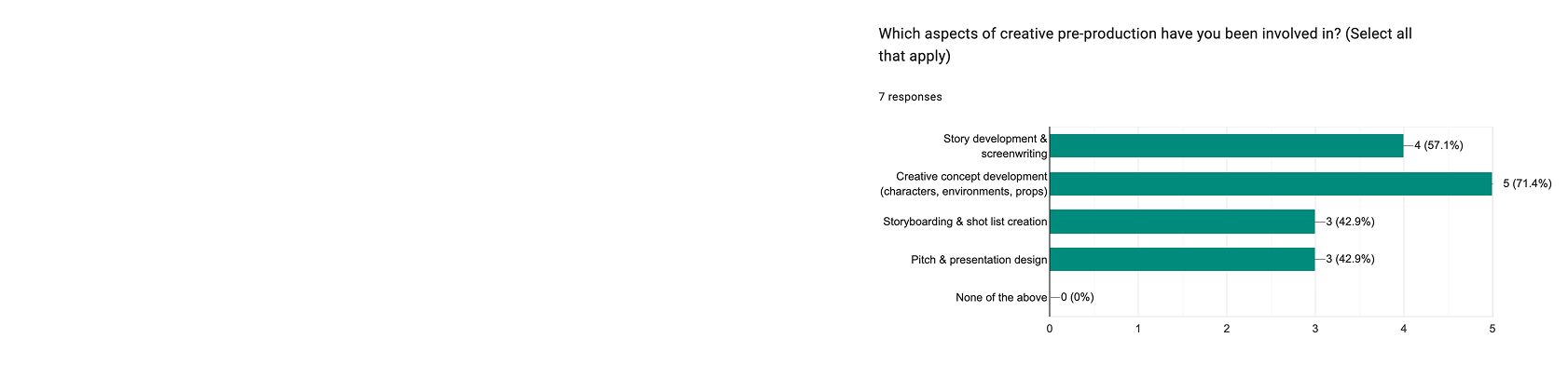
RESEARCH QUESTIONS
RESEARCH METHODS
In the preparation stage, we have designed 5 steps for the end-to-end testing:
Pre-test interview questions
Task-based, moderated, within-subjects usability testing
Observed participants performing given tasks
Assessed task success/failure rate, task error (1-5 scale)
Post-test interview questions and System Usability Scale (SUS)
The participants were asked to use think aloud methods during the usability testing session, as the researchers, we have to keep quiet during the tasks, no leading questions, no question-answer sessions, we have to pay attention to the participants’ actions on desktop, gestures, expressions, sayings and so on.
RESEARCH SCENARIOS
To better explore the 3 research questions (challenges, understandings and emotions), we designed an assess standards and 3 test scenarios cover most of the main features of our product to help us track user’s thoughts and actions.
Scenario 01/
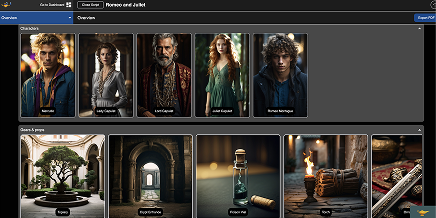
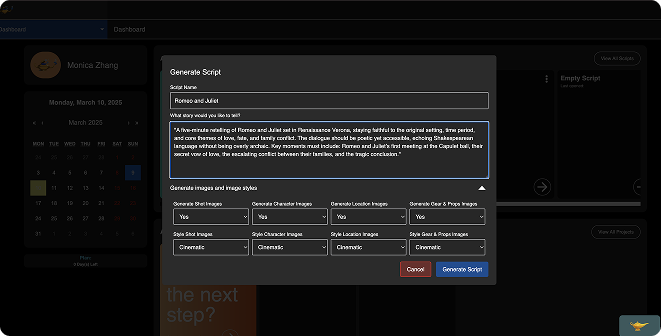
The participant starts with an idea written as a prompt in a Word document and uses VP Genie to generate a script, scenes, characters, locations, and props.
![]()
![]()
![]()
![]()
Scenario 02/
The participant has generated a script and now wants to edit specific characters and locations to align with their vision.
![]() ss
ss
![]()
![]()
![]()
![]()
Scenario 03/
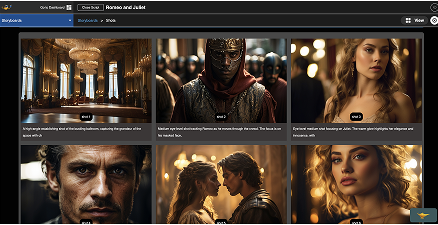
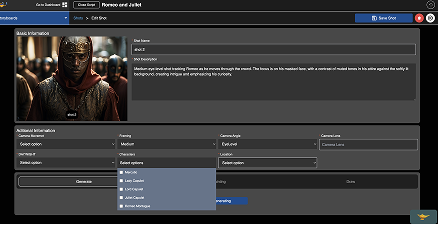
The participant refines a storyboard, making adjustments to scenes and shots.
![]()
![]()
![]()
![]()
TESTING TIMELINE
We spend 0.5pd for the pre-test, 1pd for the usability testing&observation, 2pd for the assessment and 1 pd for the post-test interview and SUS.
TASK METRICS
We got the permissions from our participants and recorded all the testing sessions, after finish each of the participants, our team will watch the playback and assess the task success and error rate together. From the metrics form, we could tell that for task 3 and 4, most of the users had the hard time to understand the use of feature and finish the tasks.
![]()
![]()
RESEARCH SCENARIOS
To better explore the 3 research questions (challenges, understandings and emotions), we designed an assess standards and 3 test scenarios cover most of the main features of our product to help us track user’s thoughts and actions.
Scenario 01/
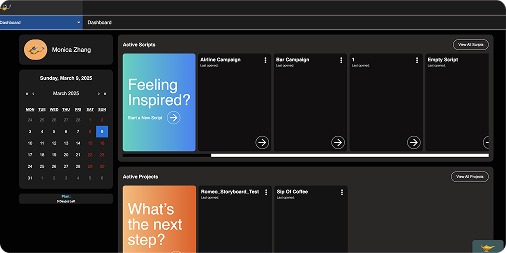
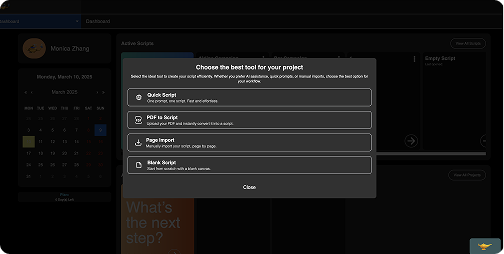
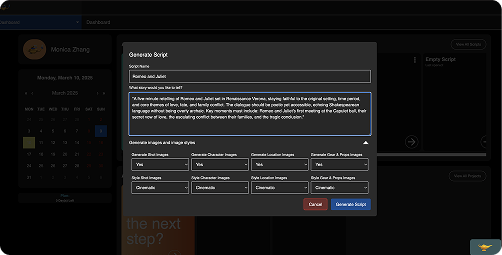
Create a Script from a Prompt
The participant starts with an idea written as a prompt in a Word document and uses VP Genie to generate a script, scenes, characters, locations, and props.

Scenario 02/
Edit or Regenerate Visual Elements
The participant has generated a script and now wants to edit specific characters and locations to align with their vision.
 ss
ss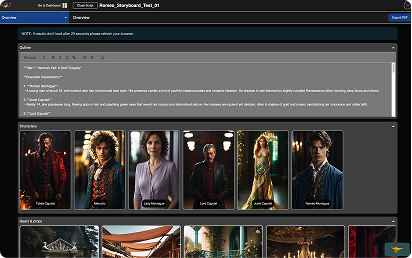
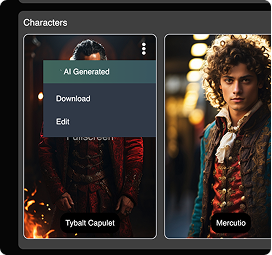
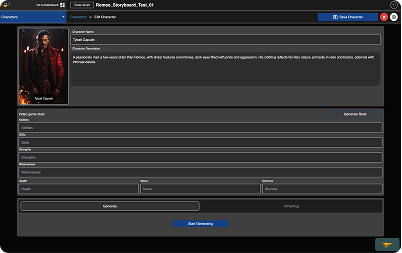
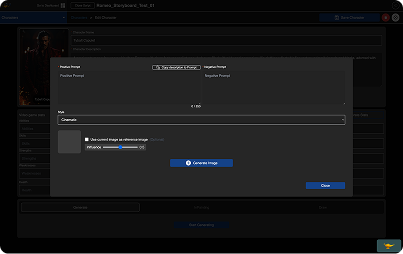
Scenario 03/
Edit Storyboard
The participant refines a storyboard, making adjustments to scenes and shots.
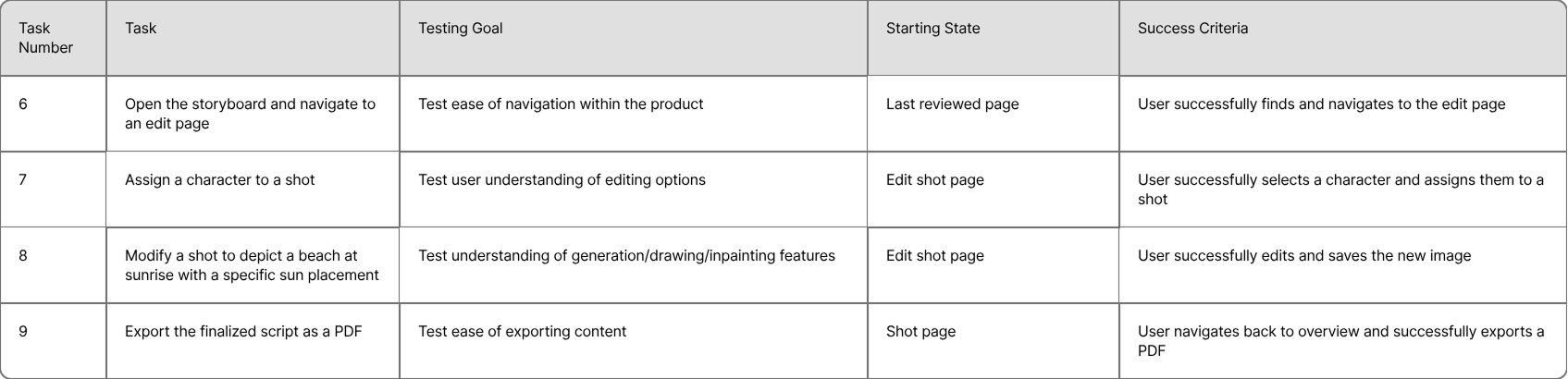
TESTING TIMELINE
We spend 0.5pd for the pre-test, 1pd for the usability testing&observation, 2pd for the assessment and 1 pd for the post-test interview and SUS.
TASK METRICS
We got the permissions from our participants and recorded all the testing sessions, after finish each of the participants, our team will watch the playback and assess the task success and error rate together. From the metrics form, we could tell that for task 3 and 4, most of the users had the hard time to understand the use of feature and finish the tasks.


01/
Unexpected AI Content
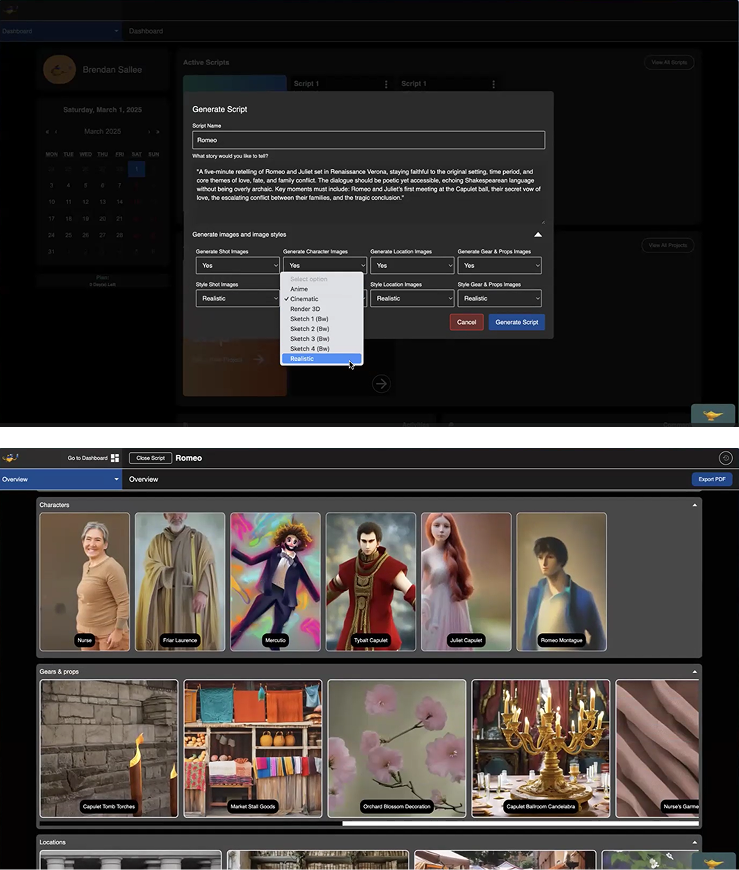
P6 chooses ‘Realistic’ style during script generation
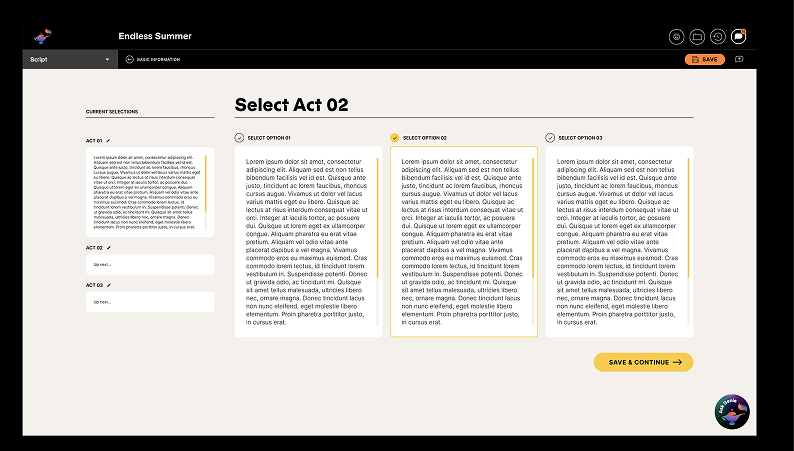
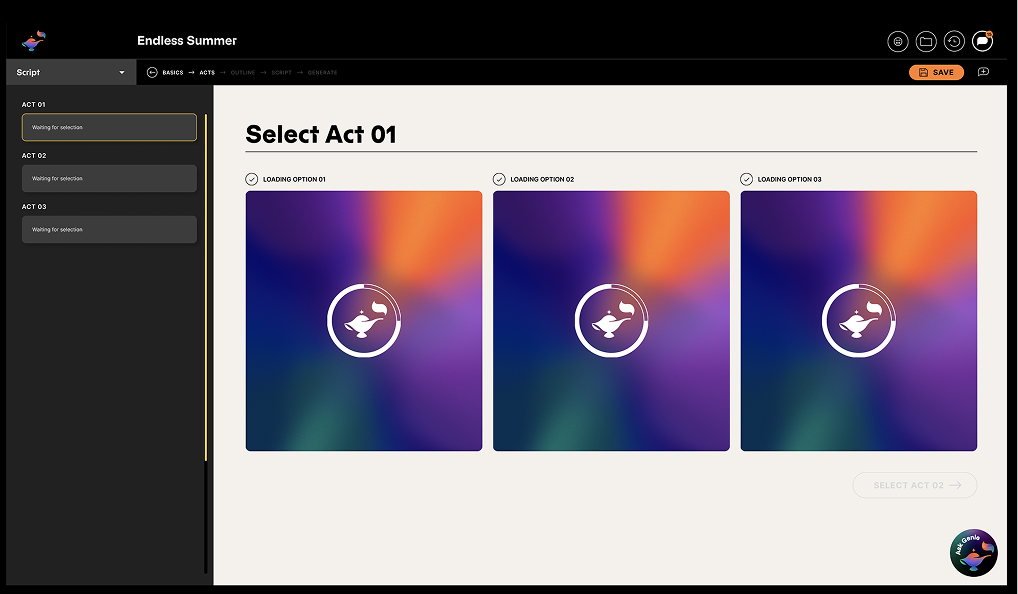
01/ Solution
Option instead of edit
02/
No error recovery or version control
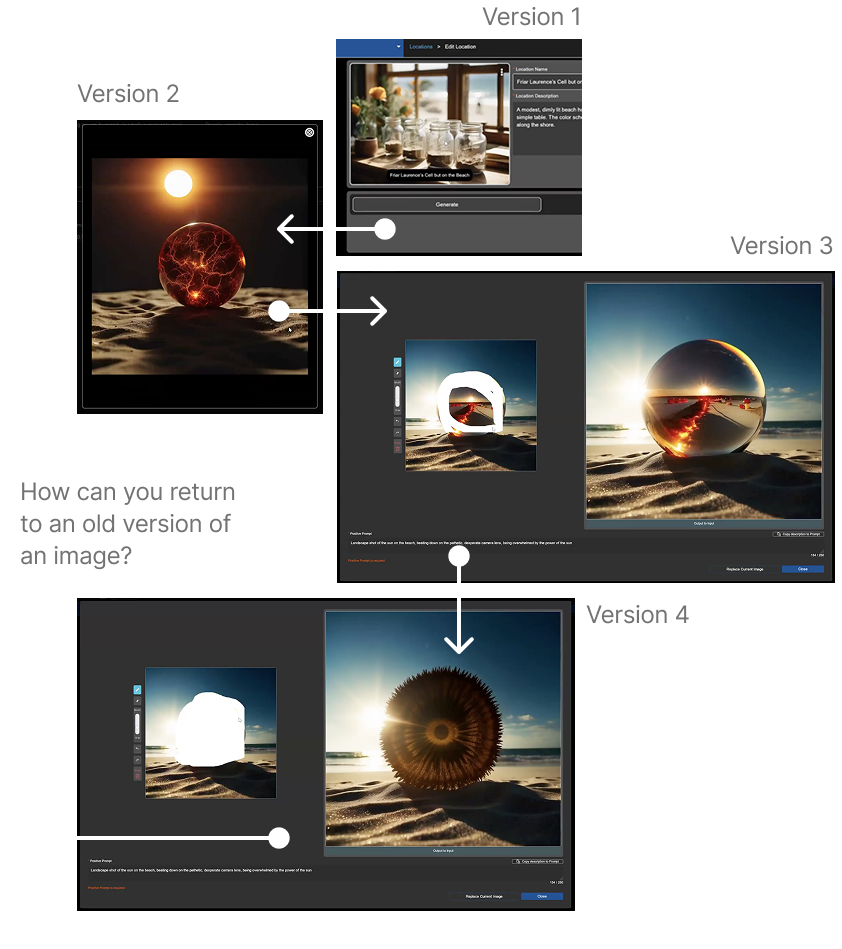
Current image edit workflow
![]()
02/ Solution
Save edit history
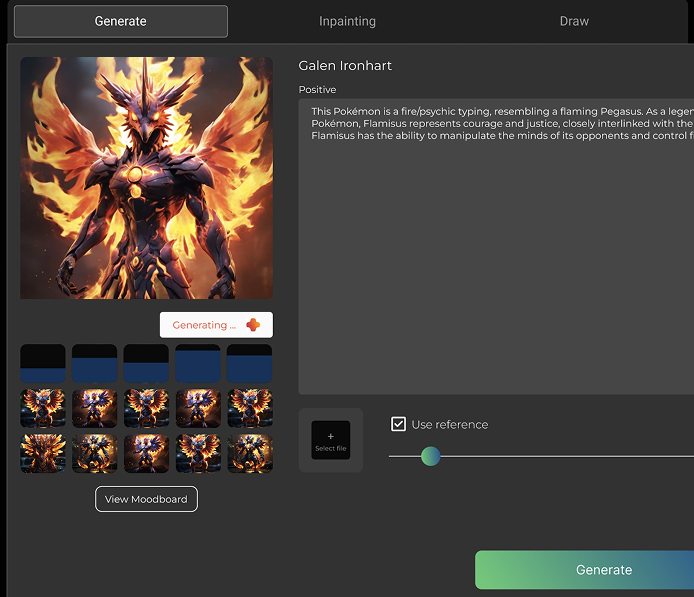
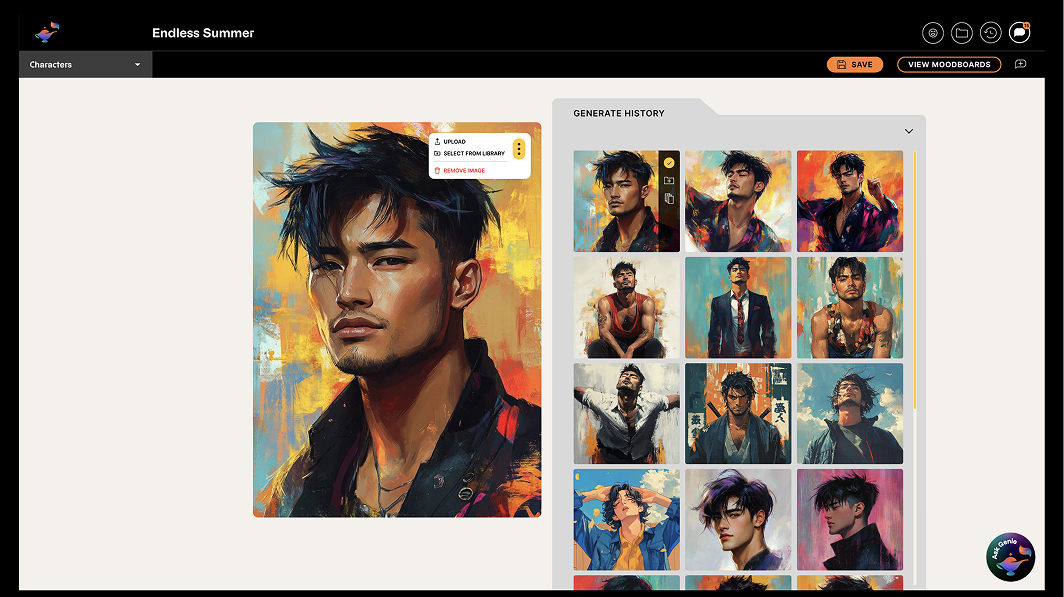
Final Prototype
03/
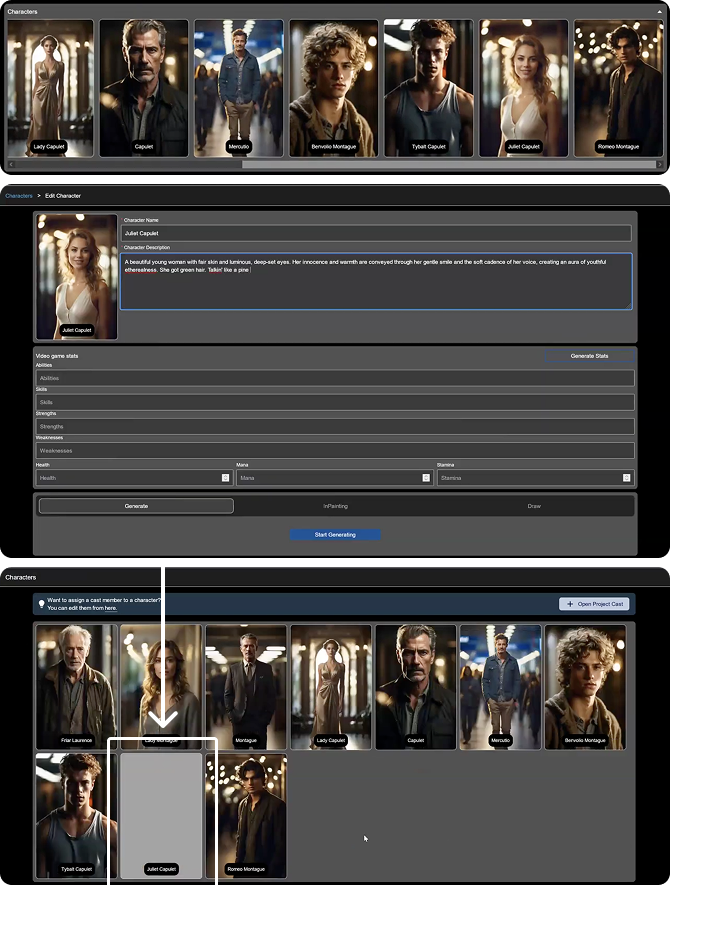
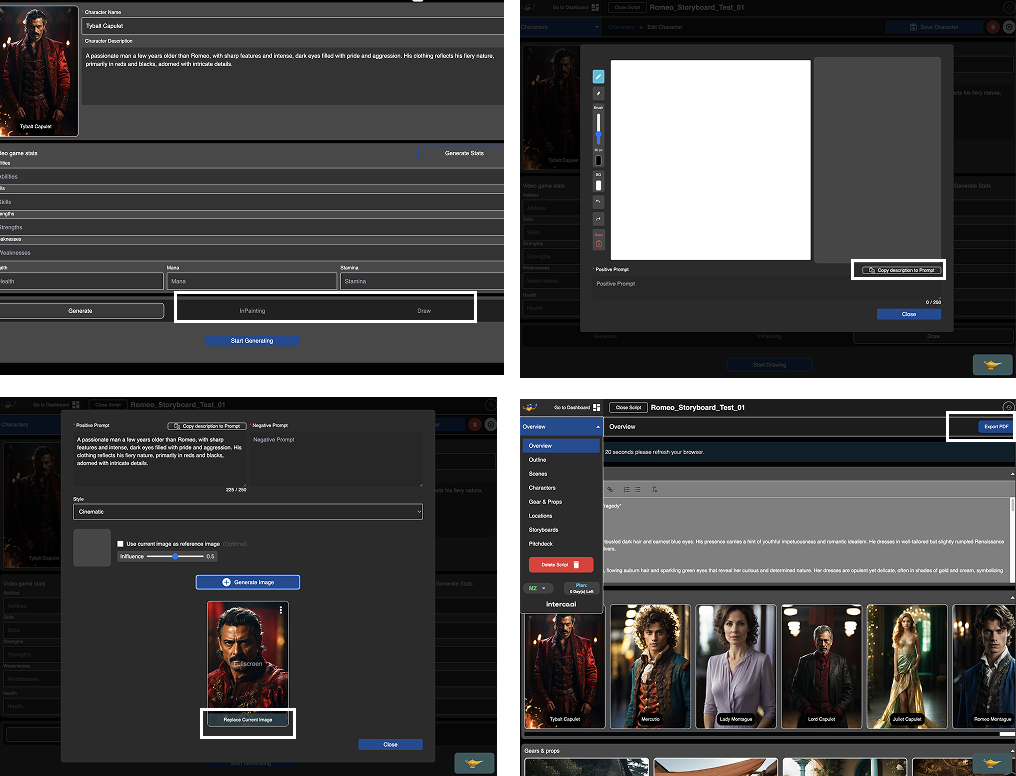
Unintuitive content editing workflow
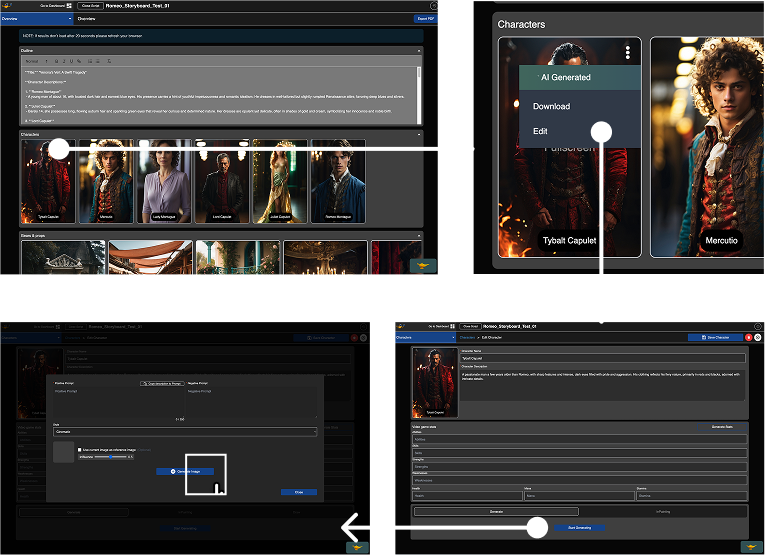
multiple window during the edit workflow
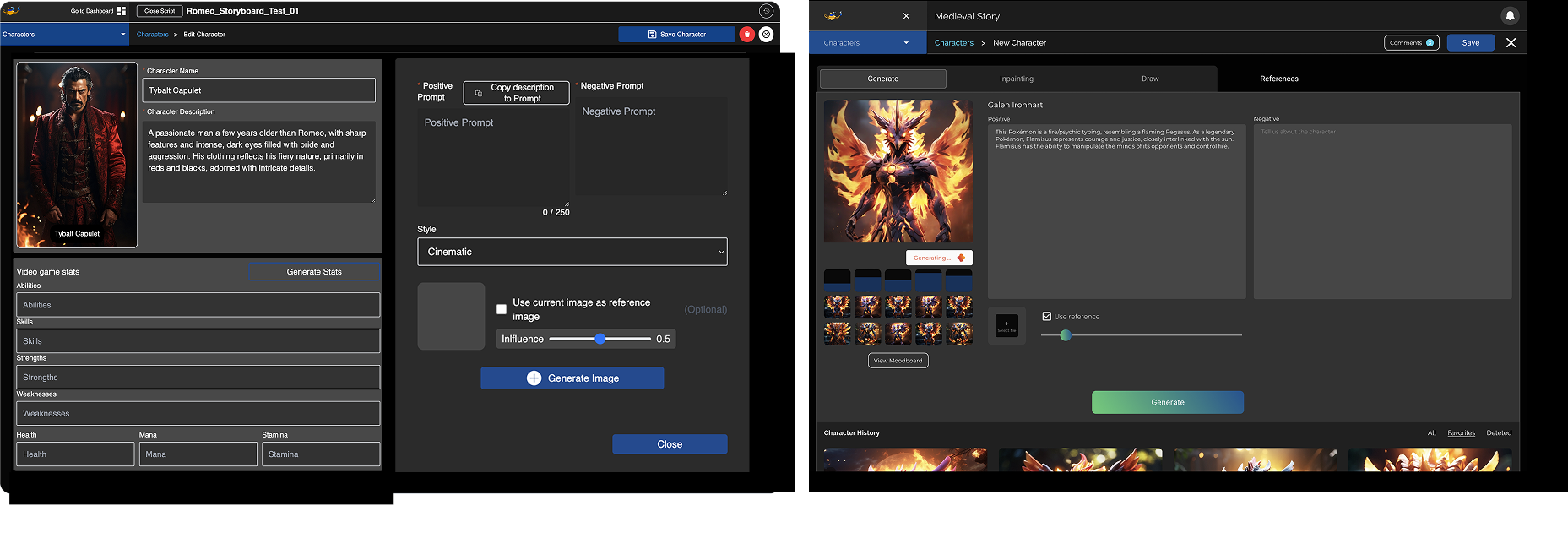
03/ Solution
Intergrate image edit workflow in the same page
04/
Unfamiliar Terminology
05/
Difficulties finding essential CTAs
06/
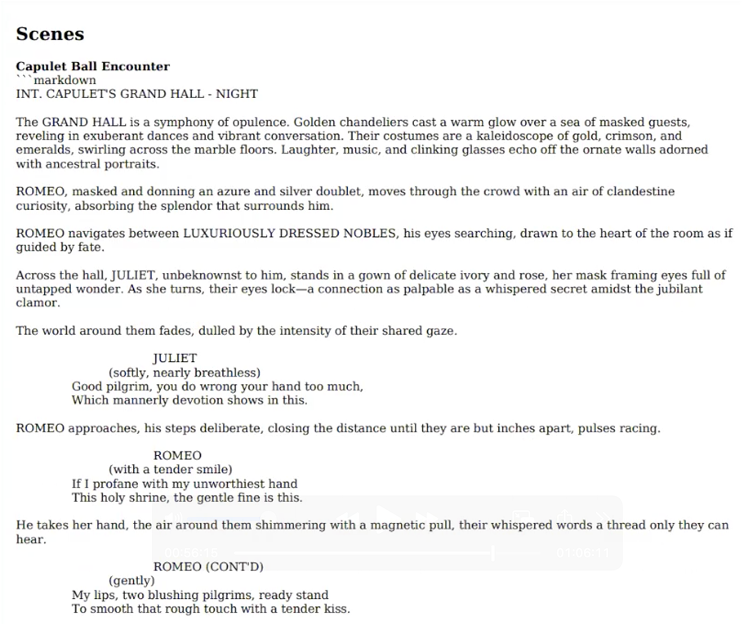
Incomplete and unstructured script export
07/
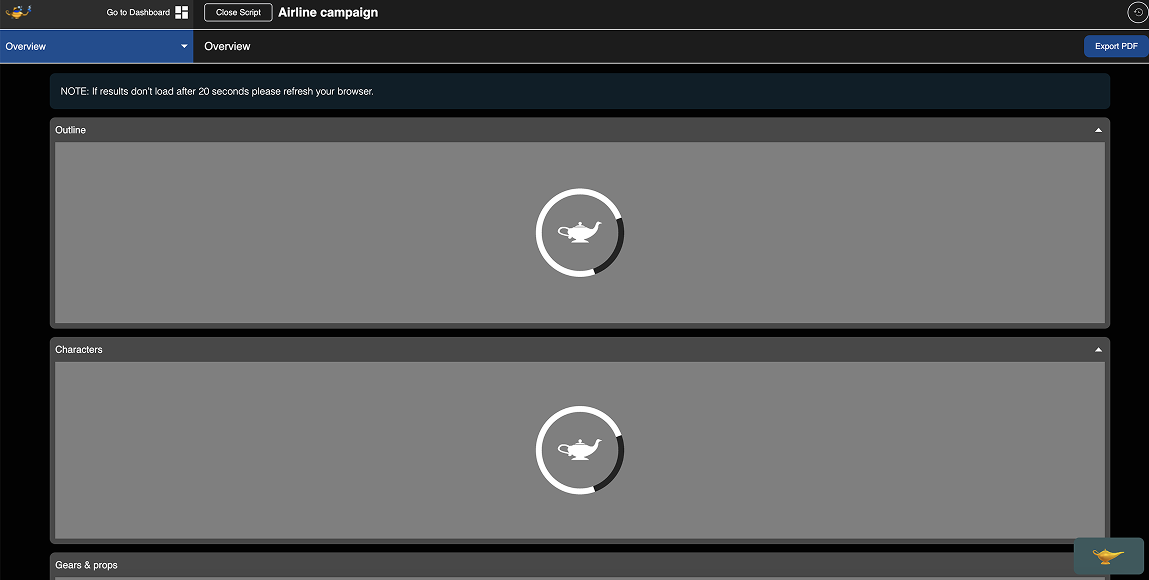
Long waiting time
If you wanna explore more on how we solve these problem, please contact me for a detailed portfolio deck!
From inspiration to visualization, from chaos to structure, from "not knowing how to start" to "I know what to do next".
For C-end users, VP Genie offers a film creation experience that is supported by AI but still led by the creators.Low barriers to start creating
AI as a creative assistant rather than a replacement
Strong visual support for expression and communication
Creative tools that facilitate learning and growth
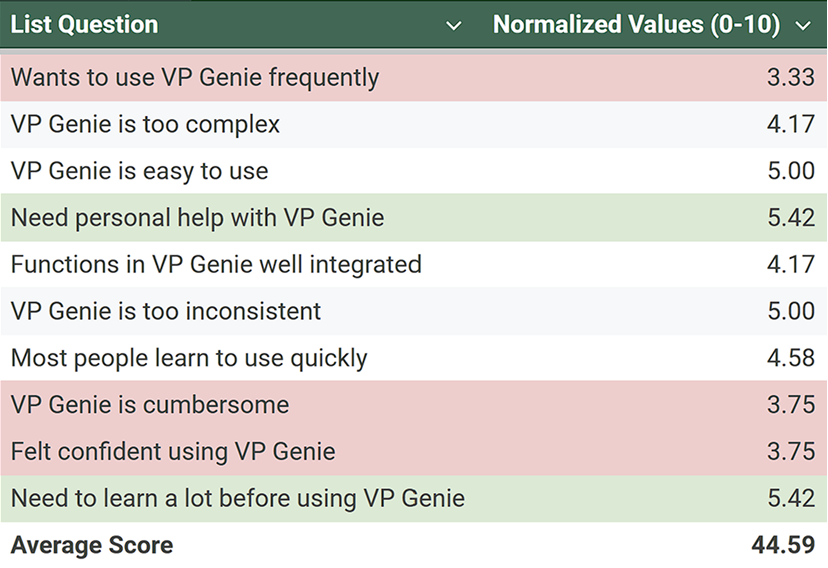 *The per item values are normalized values between 0-10 representing their contribution to the SUS study score and not the Likert scale values in the questionnaire where even numbered questions are formulated negatively.
DESIGN QUESTION
How might we design VP Genie Gen-2 to be equally usable and valuable for both professional filmmakers and emerging creators, while supporting user growth and conversion from free to paid plans?
INFORMATION ARCHITECTURE
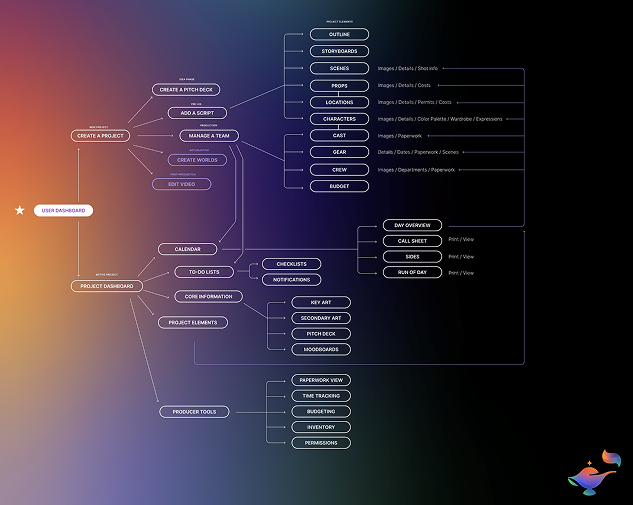
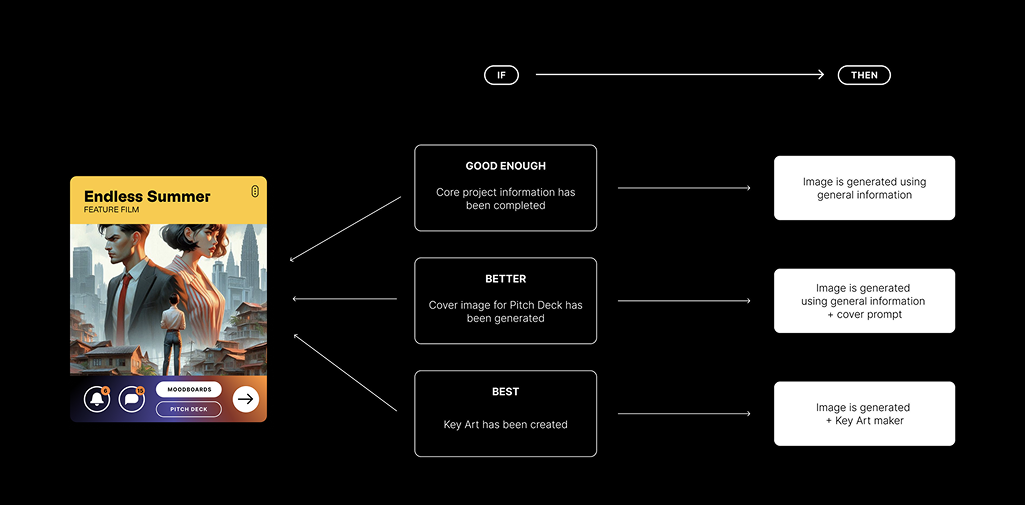
Based on the algorithm and previous findings, we refined our information structure and workflow.

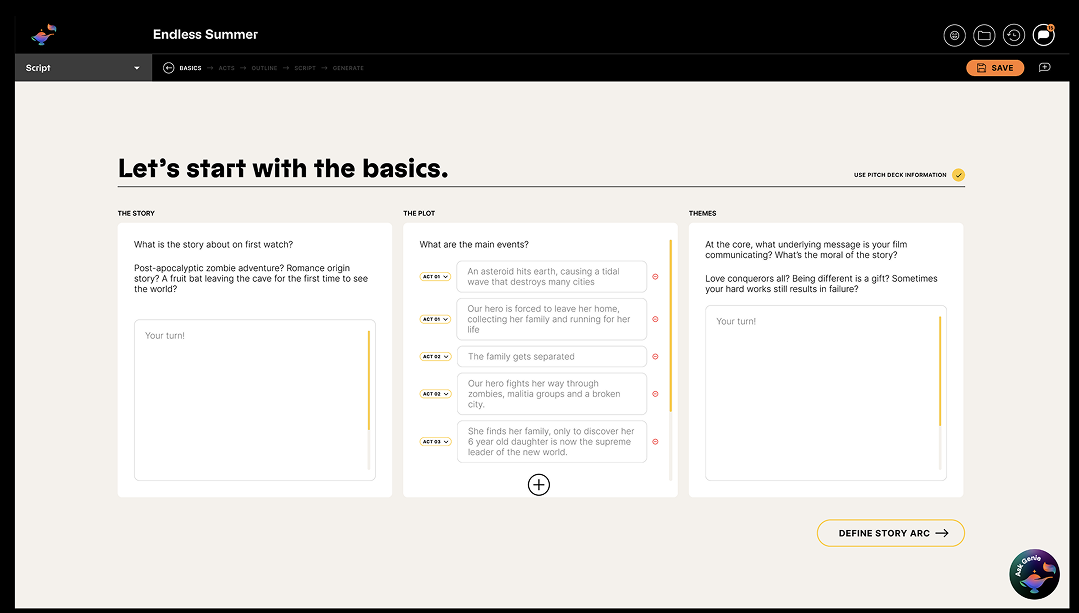
We found that a more detailed input could lead to a better visual output, therefore, instead of a simple input, we start from a sentence, but generate text script based on it, we provide users with 3 options, and let users do the decision of final script, and based on the selected script, generate the final visual set.
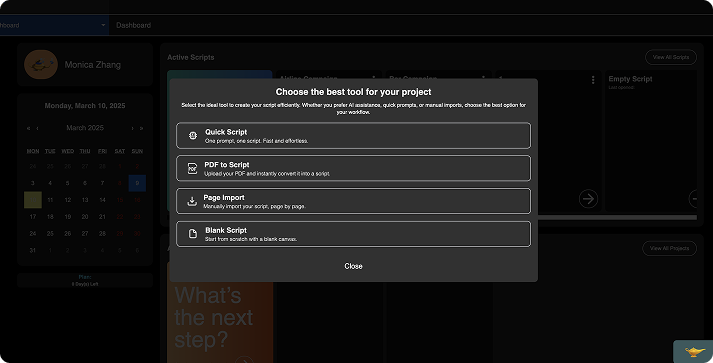
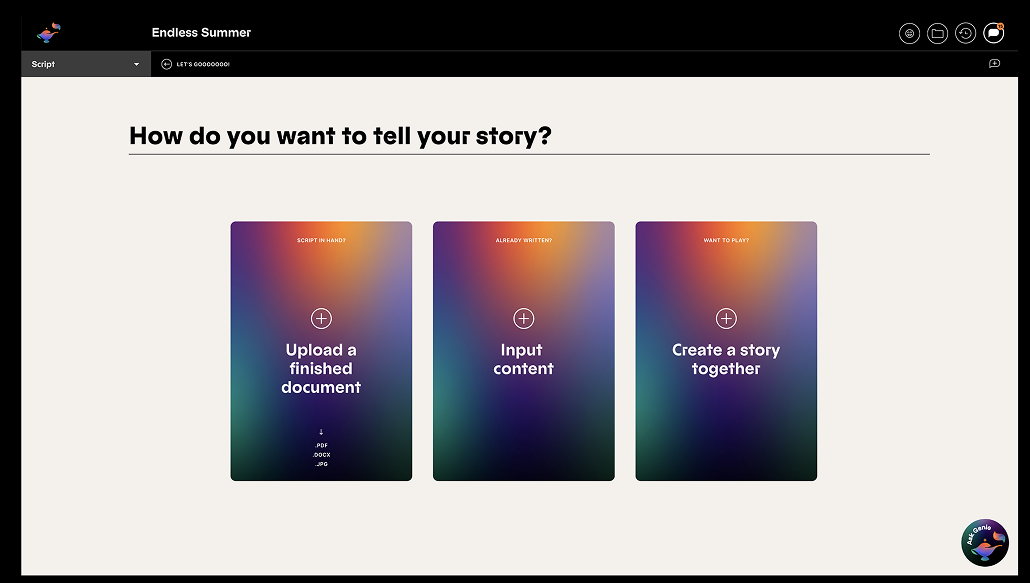
Start from choice
![]()
![]() Finalized the script
Finalized the script
MORE DESIGN
If you wanna explore more on how we design the next-gen product, please contact me for a detailed portfolio deck!
MORE DESIGN
If you wanna explore more on how we design the next-gen product, please contact me for a detailed portfolio deck!